
Keyboard Shortcuts
The full cheat sheet is also available inside the TUI at any time with ?.
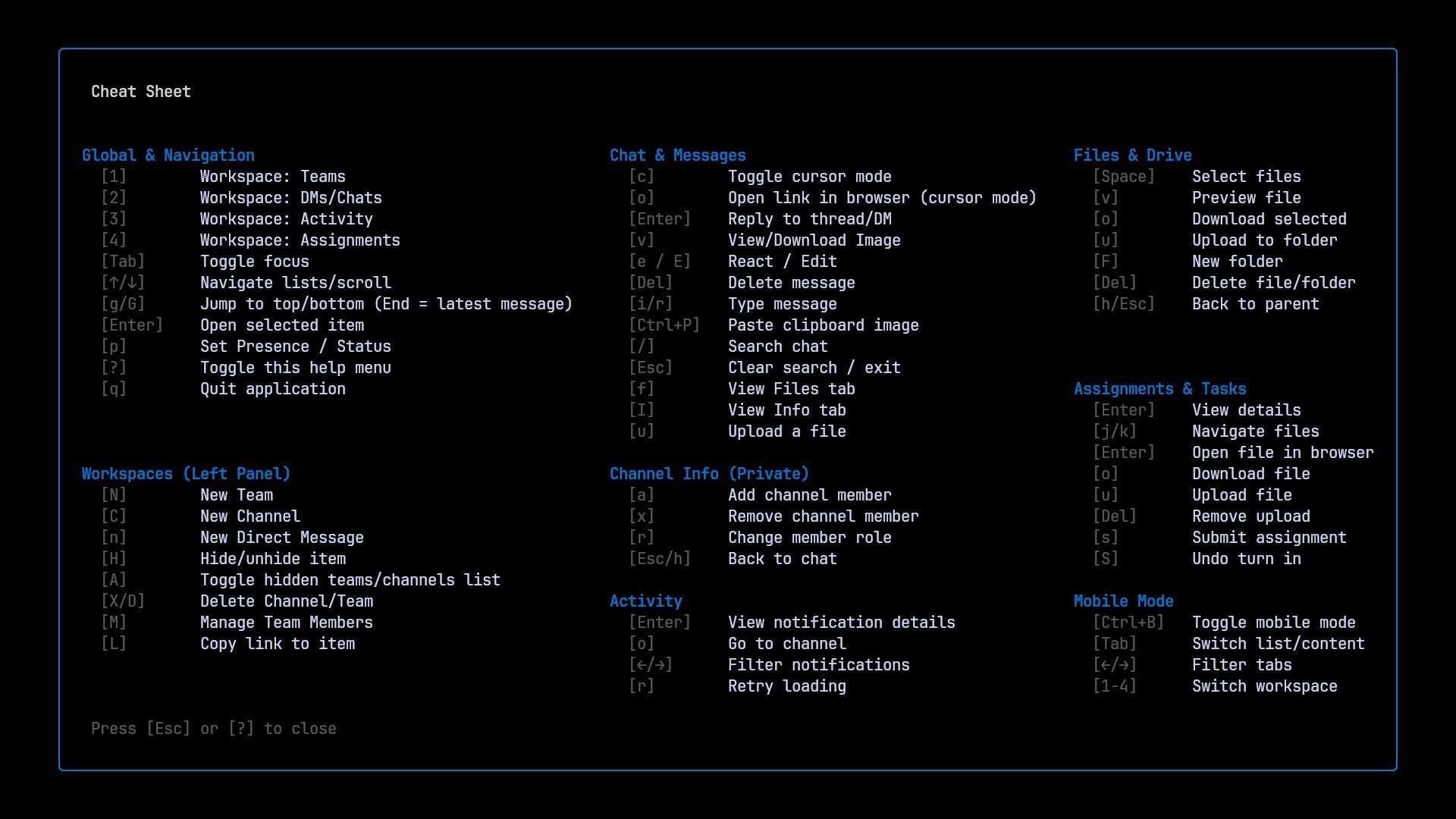
Global & Navigation
| Key | Action |
|---|---|
1 | Workspace: Teams & Channels |
2 | Workspace: DMs / Chats |
3 | Workspace: Activity |
4 | Workspace: Assignments |
Tab | Toggle focus between panels (mobile: switch list/content) |
↑ / k, ↓ / j | Navigate lists / scroll |
g / G | Jump to top / bottom |
Enter | Open selected item |
p | Set Presence / Status |
? | Toggle this help menu |
q / Ctrl+C | Quit |
In cursor mode (Chat), workspace switching (
1–4) and panel switching (Tab) are disabled to avoid losing your message cursor.
Workspaces (Left Panel)
| Key | Action |
|---|---|
N | New Team (Teams workspace) |
C | New Channel (Teams workspace) |
X / D | Delete Channel / Team |
n | New Direct Message (DMs workspace) |
H | Hide / unhide selected team or channel |
A | Toggle between visible and hidden items |
I | View team / channel info |
M | View team members |
L | Copy link to item |
a | Add member (Team Members popup / private channel info) |
x | Remove member (Team Members popup / private channel info) |
r | Change member role (Private channel info) |
Chat & Messages
| Key | Action |
|---|---|
i / r | Enter write mode / reply |
c | Toggle cursor mode |
Enter | Open thread (channel) / reply with quote (DM, cursor mode) |
e / E | React / Edit message |
Del | Delete message |
v | View / download attachments (cursor mode) |
Ctrl+P | Paste clipboard image |
/ | Search in chat |
f | View Files tab |
I | View Info tab |
u | Upload a file |
o | Go to source channel (from Activity) |
Esc | Clear search / exit mode |
Cursor Mode
| Key | Action |
|---|---|
↑ / k, ↓ / j | Move cursor between messages |
Enter | Open Thread View (channel) or reply with quote (DM) |
o | Open message link in browser |
e | Add / remove reaction |
E | Edit message |
v | View / download attachments |
Del | Delete message |
Esc | Exit cursor mode |
Thread View
| Key | Action |
|---|---|
↑ / k, ↓ / j | Move cursor between replies |
r / i | Reply in the thread |
e | Add / remove reaction |
E | Edit message |
Del | Delete message |
Esc | Close thread |
Write Mode
| Key | Action |
|---|---|
Ctrl+P | Paste inline image from clipboard (via AMS) |
Enter | Send message (also sends staged images or reply) |
Tab / Enter | Accept @mention suggestion |
Esc | Cancel writing or clear reply |
Files & Drive
| Key | Action |
|---|---|
Space | Toggle file selection (multi-select) |
v | Preview file (text: line numbers in TUI; otherwise Office Online) |
o | Download selected files |
u | Upload file |
F | Create new folder |
Del / Backspace | Delete file / folder |
← / h | Back to parent folder |
t | Toggle file info (date, time, author) — hidden by default, persisted |
f | Return to chat view |
Activity / Notifications
| Key | Action |
|---|---|
← / h, → / l | Cycle filters (All / Unread / @Mentions / Tags) |
Enter | Mark as read and view details |
o | Go to source channel |
r | Retry loading |
Assignments & Tasks
| Key | Action |
|---|---|
← / h, → / l | Switch tabs (Upcoming / Past due / Completed) |
Enter | View details / open file in Office Online |
j / k | Navigate files inside an assignment |
o | Download selected file |
u | Upload file to submission folder |
s | Submit assignment |
S | Undo turn-in |
Del | Remove uploaded resource |
Esc / h | Return to assignment list |
Popups
Presence
| Key | Action |
|---|---|
↑ / ↓ | Navigate options |
Enter | Confirm |
Esc / q | Cancel |
Download Confirmation
| Key | Action |
|---|---|
y / Enter | Confirm |
e | Choose download directory (directory picker) |
n / Esc | Cancel |
Mobile Mode
| Key | Action |
|---|---|
Ctrl+B | Toggle mobile mode |
Tab | Switch between list and content |
← / → | Filter tabs |
1–4 | Switch workspace |